Developing a successful trading strategy takes time, patience and extensive testing. Whether you’re building your first trading system or refining an existing one, high-quality simulation software can dramatically shorten the learning curve.
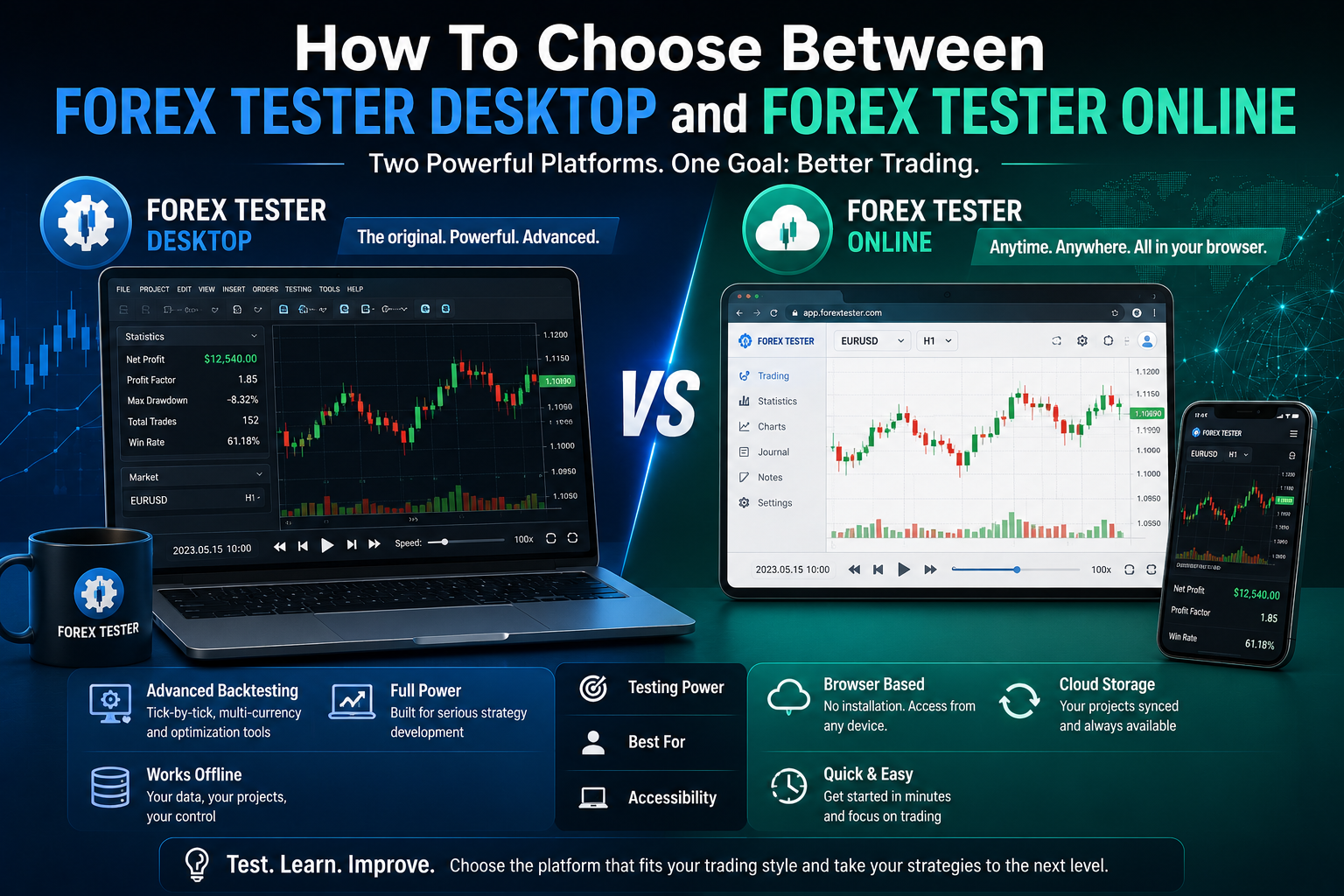
For many traders, Forex Tester has become one of the leading platforms for forex strategy testing and forex backtesting. Today, traders have two versions to choose from: Forex Tester Desktop and Forex Tester Online.
Although both products are designed to help traders practise and test strategies using historical market data, they are built with different users in mind.
In this guide, we’ll compare Forex Tester Desktop and Forex Tester Online, explain their key differences, and help you decide which version is the best fit for your trading style.
What Is Forex Tester?
Forex Tester is a trading simulation platform that allows traders to replay historical market data as though it were happening in real time.
Instead of waiting for live market opportunities, traders can fast-forward through years of price history, practising trade execution, testing new ideas and improving their market analysis.
Forex Tester is widely used for:
- Forex strategy testing
- Forex backtesting
- Practising discretionary trading
- Evaluating automated trading systems
- Learning market behaviour
- Improving risk management
Both the Desktop and Online versions share these core objectives, but they deliver the experience in different ways.
Forex Tester Desktop vs Forex Tester Online
At first glance, both versions appear similar because they allow traders to replay historical market data.
However, there are some important differences.
Forex Tester Desktop
Forex Tester Desktop is the original Windows application.
It is installed directly onto a computer and stores trading projects locally.
The Desktop version is designed for traders who want maximum flexibility and advanced functionality.
Forex Tester Online
Forex Tester Online is the browser-based version of the software.
Rather than installing software, traders simply log into their account using a web browser.
Projects are stored online, making them accessible from virtually anywhere with an internet connection.
Installation and Accessibility
Forex Tester Desktop
One of the biggest differences is installation.
With the Desktop version:
- Software must be downloaded and installed
- Historical data is stored locally
- Updates are installed manually
- Projects remain on the user’s computer
- Offline use is possible once data has been downloaded
This approach is ideal for traders who prefer working on a dedicated trading workstation.
Forex Tester Online
With Forex Tester Online, everything runs inside your browser.
Benefits include:
- No software installation
- Automatic updates
- Cloud-based project storage
- Access from multiple computers
- Compatible with most modern operating systems
For traders who work across different devices or travel frequently, this flexibility can be a significant advantage.
Forex Strategy Testing Capabilities
Both versions excel at forex strategy testing, allowing traders to evaluate trading ideas using historical price data.
Users can:
- Replay historical markets
- Practise entries and exits
- Monitor risk management
- Review trading statistics
- Analyse performance over time
For most discretionary traders, both platforms provide an excellent environment for improving trading skills.
Forex Backtesting Features
One of Forex Tester’s strongest capabilities is forex backtesting.
Forex Tester Desktop
The Desktop version includes a more comprehensive collection of advanced testing tools.
These include:
- Tick-by-tick simulations
- Multiple chart layouts
- Extensive project customisation
- Advanced performance reports
- AI-assisted optimisation features
- Large historical data libraries
For serious strategy developers, these features provide greater control over the testing process.
Forex Tester Online
The Online version focuses on simplicity and convenience.
Although it supports historical replay and performance analysis, it intentionally offers a cleaner interface that allows users to begin practising quickly without extensive configuration.
For many traders, this streamlined experience is more than sufficient.
Working with Expert Advisors and Forex Robots
Many traders use expert advisors, forex robots, and forex bots alongside manual trading strategies.
Forex Tester Desktop
Desktop is generally the stronger choice for traders who regularly develop or evaluate automated trading systems.
Its advanced testing capabilities make it well suited for:
- Optimising Expert Advisors
- Analysing automated strategies
- Comparing parameter variations
- Performing detailed historical testing
Algorithmic traders often appreciate the additional flexibility offered by the Desktop version.
Forex Tester Online
Although Forex Tester Online is primarily focused on manual trading practice and strategy development, it still provides an effective environment for learning market behaviour and validating trading concepts before moving to automated implementation.
For traders who mainly use discretionary strategies, Online may provide everything they need.
Ease of Use
Forex Tester Desktop
The Desktop application includes a wide range of features and configuration options.
While this provides tremendous flexibility, complete beginners may require a little time to become familiar with the interface.
Once mastered, however, the software offers a powerful testing environment.
Forex Tester Online
The browser version has been designed with simplicity in mind.
New users can usually begin practising within minutes by:
- Logging into their account
- Selecting a market
- Choosing a historical period
- Starting the simulation
The absence of installation and configuration makes it particularly beginner-friendly.
Which Version Is Better for Beginners?
If you’re completely new to forex strategy testing, Forex Tester Online is often the easier place to begin.
Its browser-based interface removes many of the technical steps associated with software installation, allowing traders to concentrate on learning the markets.
As experience grows, some traders may eventually transition to the Desktop version if they require more advanced functionality.
Which Version Is Better for Advanced Traders?
Experienced traders who regularly perform detailed forex backtesting, optimise trading systems or evaluate expert advisors may prefer Forex Tester Desktop.
The additional analytical tools, greater project customisation and advanced testing features provide more control over the development process.
For traders building sophisticated forex robots or forex bots, the Desktop platform generally offers greater flexibility.
Quick Comparison
| Feature | Forex Tester Desktop | Forex Tester Online |
|---|---|---|
| Installation Required | Yes | No |
| Runs in Browser | No | Yes |
| Cloud-Based Projects | No | Yes |
| Offline Usage | Yes | No |
| Beginner Friendly | Good | Excellent |
| Advanced Backtesting | Excellent | Very Good |
| AI Optimisation Tools | Yes | No |
| Access From Multiple Devices | Limited | Yes |
| Ideal For | Advanced traders and strategy developers | Beginners and traders wanting convenience |
Final Thoughts
Both Forex Tester Desktop and Forex Tester Online are excellent tools for improving trading performance through structured forex strategy testing and forex backtesting.
The right choice ultimately depends on how you prefer to work.
If you value convenience, flexibility and browser-based accessibility, Forex Tester Online is likely to be the better option.
If you require advanced testing capabilities, detailed analysis and regularly work with expert advisors, forex robots or forex bots, Forex Tester Desktop remains the more powerful solution.
Whichever version you choose, investing time in testing, practising and refining your strategies before trading with real money is one of the most valuable habits any forex trader can develop.
Rather than viewing the two products as competitors, many traders may find that they complement different stages of their trading journey. Beginners can start with the simplicity of Forex Tester Online, while more experienced traders can take advantage of the advanced capabilities offered by Forex Tester Desktop as their knowledge and confidence grow.