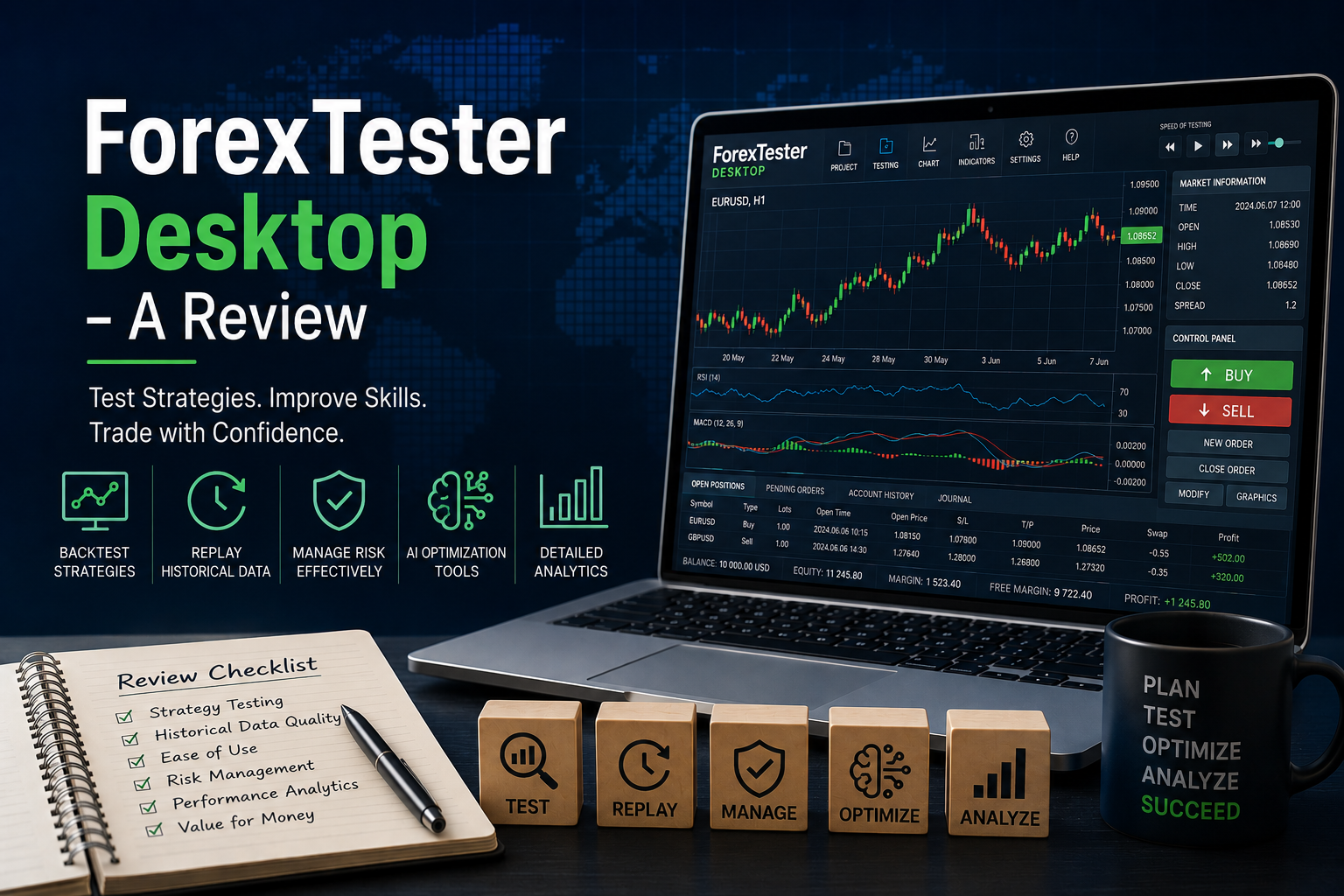
For many traders, finding a profitable strategy is only part of the challenge. The real question is whether that strategy can consistently perform in different market conditions. This is where backtesting software becomes invaluable.
In this review, we’ll take an in-depth look at ForexTester Desktop, a dedicated trading simulator designed to help traders test, refine and practise their strategies using historical market data.
Whether you’re completely new to forex trading or an experienced trader looking to optimise your edge, this review explores what ForexTester Desktop offers, its strengths, its limitations, and who is most likely to benefit from using it.
What Is ForexTester Desktop?
ForexTester Desktop is a standalone Windows-based trading simulator and backtesting platform that allows traders to replay historical market data and practise trading as though the market were moving in real time. Unlike demo accounts, which rely on current market conditions, ForexTester enables users to revisit years of historical data and test ideas repeatedly until they gain confidence in their methods.
The software has been developed primarily for traders who want to:
- Test trading strategies before risking capital
- Improve execution skills
- Build confidence through repetition
- Analyse trading performance in detail
- Optimise strategies using historical data
For traders serious about improving their decision-making process, ForexTester Desktop attempts to bridge the gap between theoretical learning and live market experience.
Key Features of ForexTester Desktop
Historical Market Replay
One of the biggest advantages of ForexTester Desktop is its ability to replay historical market data candle by candle or tick by tick.
Instead of studying static charts, traders can simulate real trading conditions by placing trades, managing positions and making decisions as prices unfold.
Testing speed can be adjusted, paused and resumed whenever required, allowing traders to review setups at their own pace.
High-Quality Historical Data
ForexTester offers access to extensive historical datasets, including premium tick data subscriptions.
Depending on the subscription level, traders can access:
- Up to 25 years of historical data
- Tick-by-tick market movements
- Floating spreads
- Daily updates
- More than 860 tradable instruments
This is particularly useful for traders who employ short-term strategies where small price movements and spread changes can significantly affect results.
Multiple Charts and Timeframes
The software supports opening multiple charts simultaneously, allowing traders to perform multi-timeframe analysis.
For example, a swing trader might monitor:
- Daily charts for trend direction
- Four-hour charts for setups
- One-hour charts for trade execution
All charts remain synchronised during testing, closely replicating a live trading environment.
Built-In Technical Indicators
ForexTester Desktop includes more than 60 built-in technical indicators with adjustable settings.
Popular indicators available include:
- Moving Averages
- RSI
- MACD
- Bollinger Bands
- Stochastic Oscillator
Users can also import custom indicators and algorithmic trading strategies, offering greater flexibility for traders who have developed proprietary systems.
One-Click Trading
The platform incorporates a one-click trading panel designed to make simulated execution faster and more intuitive.
Traders can:
- Open market orders
- Place stop and limit orders
- Adjust stop-loss levels
- Modify take-profit targets
- Manage several positions simultaneously
While this may seem like a minor feature, practising order management under realistic conditions can help traders develop better habits before transitioning to live accounts.
Risk Management Tools
ForexTester Desktop includes graphical tools that help traders visualise reward-to-risk ratios before entering a trade.
Users can adjust entry levels, stop losses and profit targets while immediately seeing how the potential risk compares to the expected reward.
For newer traders, this can be an effective way to understand position sizing and proper risk management techniques.
AI-Based Strategy Optimiser
One of the more advanced features available within ForexTester is its AI-assisted strategy optimisation functionality.
The software offers several optimisation methods, including:
- Full Grid optimisation
- Neural Network algorithms
- XGBoost machine learning models
These tools aim to identify combinations of strategy parameters that may improve overall performance while reducing the amount of manual testing required.
Ease of Use
ForexTester Desktop has a relatively gentle learning curve, especially for traders already familiar with platforms such as MT4 or MT5.
Projects can be created quickly, historical data downloaded from within the software, and testing sessions resumed later without losing progress.
Although the interface is functional rather than modern-looking, it provides access to a large number of features without becoming overwhelming. Some users may find the design slightly dated compared to newer cloud-based competitors, but this does not significantly impact usability.
Educational Benefits for Beginners
For beginner traders, ForexTester Desktop may offer advantages that traditional demo accounts cannot provide.
Instead of waiting days or weeks for trading opportunities to appear in real markets, users can fast-forward through years of historical data and encounter hundreds of setups in a relatively short period.
This accelerated learning process can help traders:
- Recognise recurring chart patterns
- Practise following trading rules
- Develop emotional discipline
- Gain confidence before trading live
The software also includes interactive educational materials aimed at helping users learn forex concepts while simultaneously applying them in a simulated environment.
Advantages and Disadvantages
Pros
- Extensive historical market data
- Tick-by-tick testing capability
- Multiple chart and timeframe support
- Built-in risk management tools
- AI-assisted optimisation features
- Works offline after data has been downloaded
- Ability to pause and resume testing sessions
Cons
- Available only for Windows users
- Interface design may feel dated compared with some web-based alternatives
- Premium historical data subscriptions increase overall costs
- Advanced optimisation features may be unnecessary for complete beginners
Who Is ForexTester Desktop Best Suited For?
ForexTester Desktop is likely to appeal most to:
Beginner Traders
Those who want to practise trading in a realistic environment without risking capital.
Strategy Developers
Traders who regularly create and modify trading systems and need reliable backtesting tools.
Scalpers and Day Traders
Users who depend heavily on precise execution and tick-level data.
Experienced Traders
Professionals looking to validate ideas, improve risk management or analyse performance metrics over long periods of historical data.
Final Verdict
ForexTester Desktop is one of the more comprehensive desktop-based trading simulators available for forex traders today.
Its greatest strength lies in its ability to recreate realistic trading conditions using extensive historical data, allowing traders to compress years of market experience into weeks of focused practice.
While the software does require an investment of both time and money, traders who are committed to developing and validating their strategies may find it to be a worthwhile addition to their trading toolkit.
For beginners, ForexTester Desktop provides a structured environment for learning how markets behave and understanding the importance of discipline and risk management.
For seasoned traders, the platform offers advanced optimisation tools, detailed statistics and high-quality data that can support a more evidence-based approach to strategy development.
Rating: 4.5/5
ForexTester Desktop is not a shortcut to profitability, but it can significantly shorten the learning curve for traders who are willing to put in the practice and analyse their results objectively. Find out more visiting their website by clicking here.